
From the customer's Gerber files to a production-ready panel, automatically
GerbMatic reads the files your customer sends, builds the panel, checks it against the original design and writes the files your shop needs - in minutes, on your own computer.
Two panels, one program
The array your customer orders
Their boards in a frame, ready for their assembly line, with an approval pack to send them.
From $225 a year per computer
Your own production sheet
Your rails, tooling, registration and part numbers, packed for the best yield.
- Fills your production sheet
- Rails, tooling and registration, right every time
- Panels the shop floor understands
$225 a year for several designs per sheet, $189 for one design per sheet
Everything marked Both panels below comes with either one. GerbMatic Complete includes both panels for $369 a year. Compare editions.
Jump to
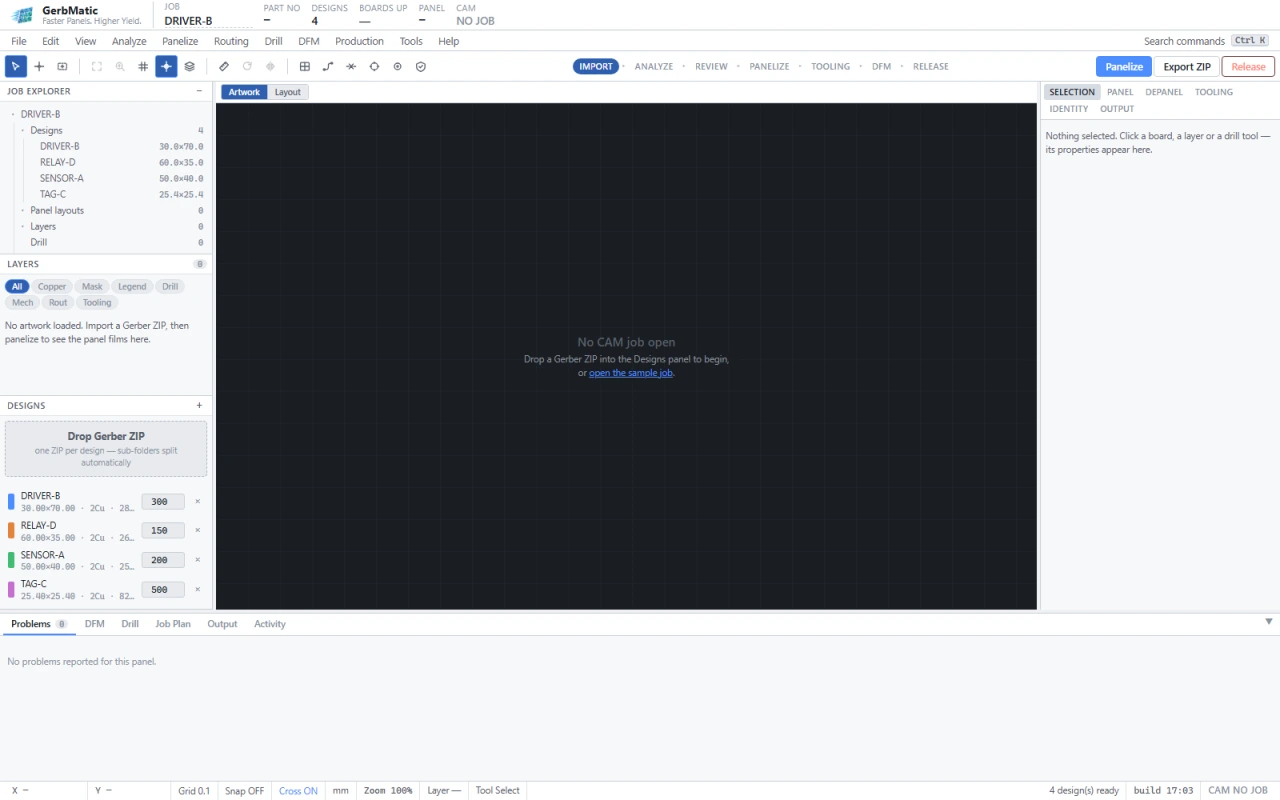
Reads your customer's files as they arrive
Drop in the ZIP the customer sent. GerbMatic recognises the copper, mask, legend, outline and drill files by itself.
- Gerber (RS-274X and X2) and Excellon drill files from KiCad, Altium, Eagle, DipTrace, EasyEDA, CAM350 and others.
- Reads the layer labels written inside modern files, not only their names.
- If a file cannot be identified, the Layers window lets you say what it is - no unzipping or renaming needed.
- Drawings, reports and other extras are listed and left out on purpose, so nothing goes missing without you knowing.
- A broken or ambiguous file is refused with a plain explanation, never guessed at.
The array your customer orders
Build the panel your customer asked for: their boards in a frame their assembly line can snap apart.
- Any grid of boards, set by how many across and how many up.
- V-score, or a routed break-away with tabs.
- Rails on the sides you choose, with tooling holes and fiducials for the pick-and-place.
- Finds the board edge even when the customer did not send an outline, and asks you to confirm the size first.
- Exports an approval pack: the array files, a drawing and the integrity certificate, ready to send to the customer.
Fills your production sheet
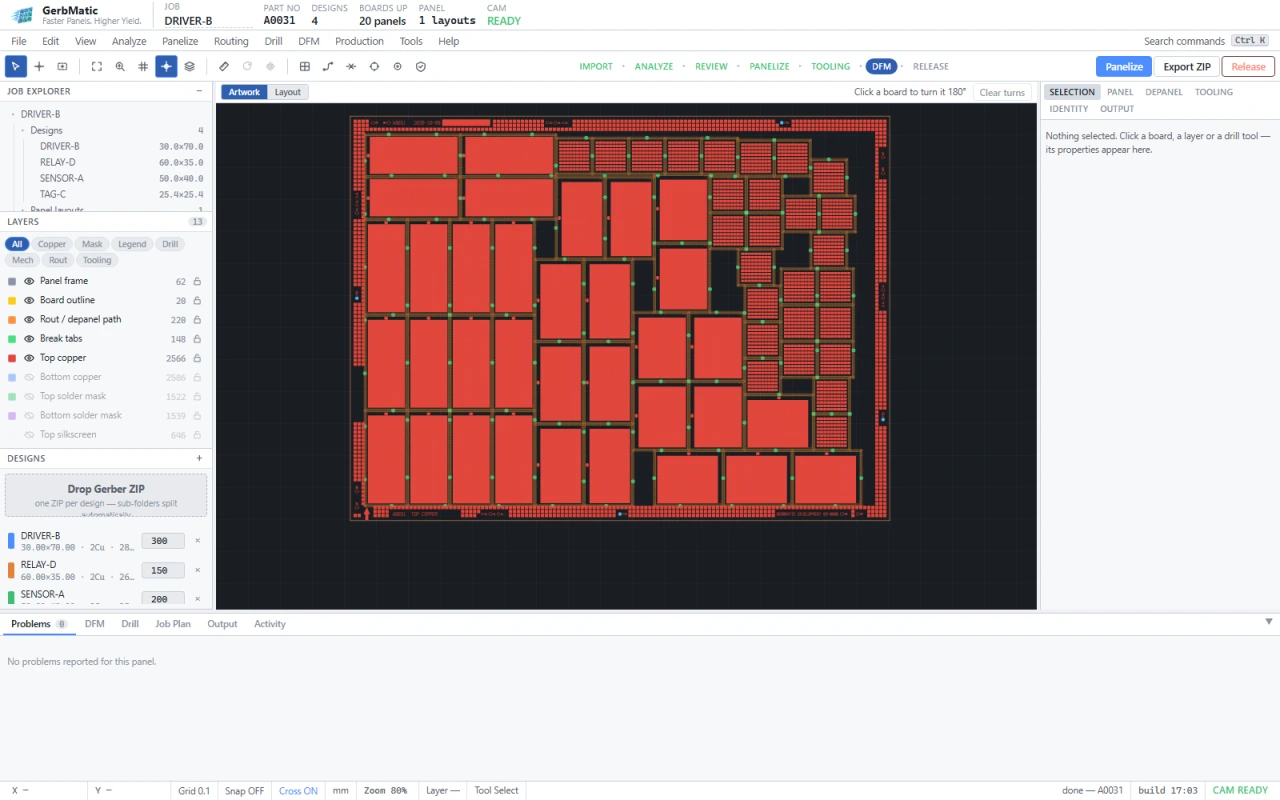
Give it the boards and the sheet size; it works out the best layout.
- Tries every board both ways round, and mixes different designs on one panel when the order allows it.
- Spreads an order across panels in the ratio of the quantities, so one run finishes several part numbers at once.
- Shows the panel yield before you plot anything.
- Drag a board to adjust it by hand; it lines up with its neighbours automatically.
Rails, tooling and registration, right every time
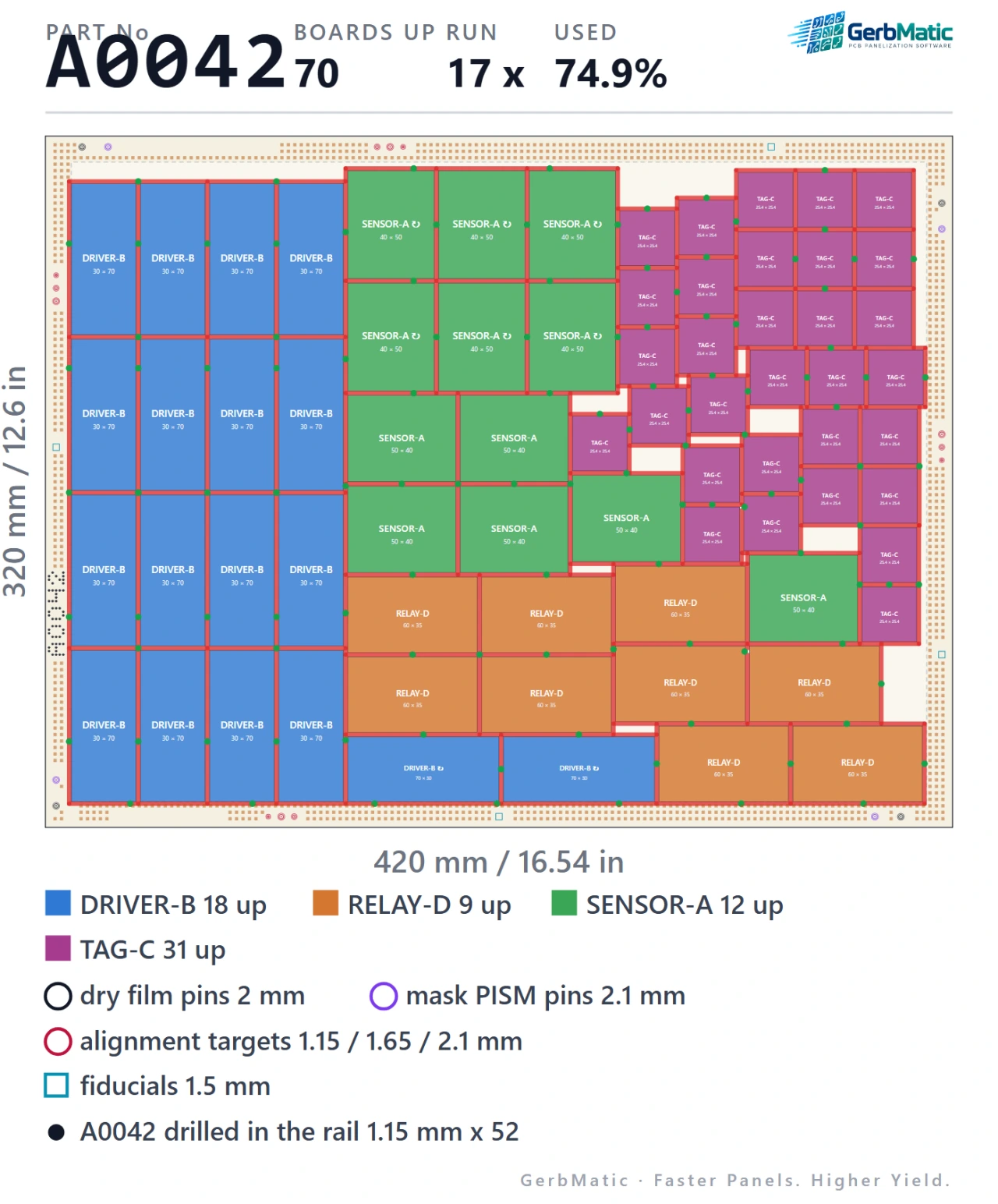
The part that scraps a panel when it is wrong, done the same correct way on every job.
- Dry-film and solder-mask pins, alignment targets and fiducials, placed on the rails and never on a board.
- The pin pattern is deliberately one-way: a film that has been turned over or rotated will not fit.
- Top and bottom films can never be confused for each other.
- Text on the rails is kept clear of the customer's artwork, always.
Panels the shop floor understands
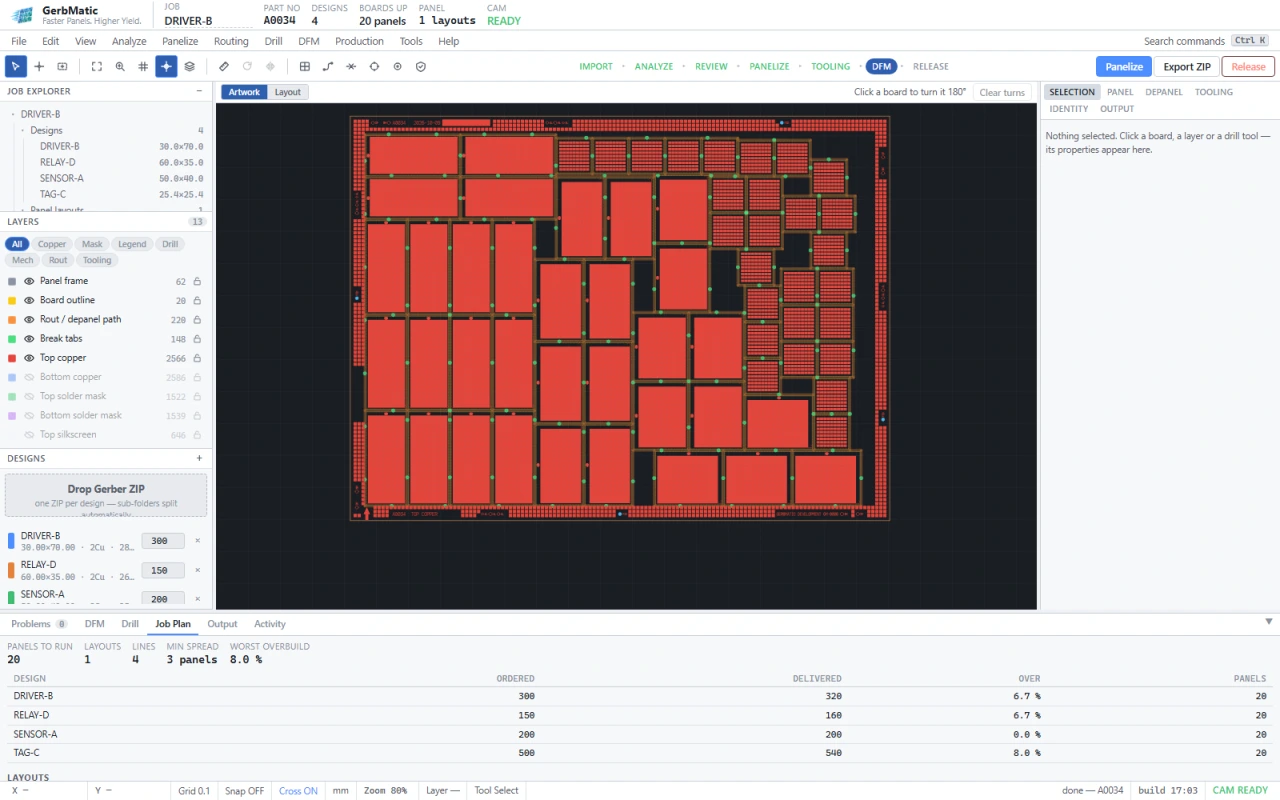
Every panel carries what the floor needs to know, without anybody asking.
- A part number per panel, issued once and never used twice.
- The part number drilled into the rail as well as printed, so it survives processes that remove ink.
- Job name, layer name and an orientation arrow on the rails.
- Your company name in the corner, small and out of the way.
Checks every panel before it leaves
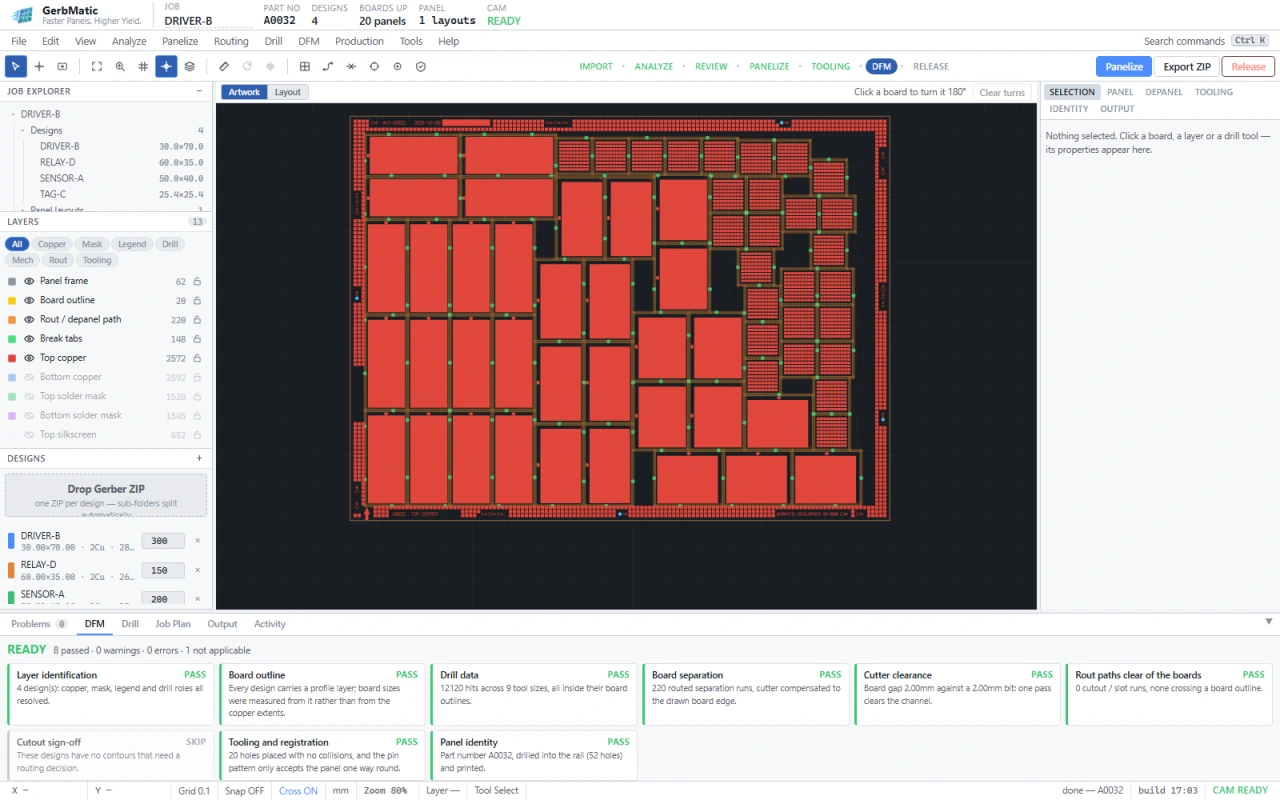
Each build is checked for the faults that scrap panels, and a panel that fails cannot be exported.
- Layers, board outline, drill data, how the boards come apart, cutter clearance, rout paths, tooling and panel marking.
- Each check says what it looked at and what it found - a PASS you can read, not just a green tick.
- Cutouts that need a decision about which side to cut are held until someone signs them off.
- Anything that would be drawn on a customer's board stops the panel outright.
Proof the artwork is unchanged
Every panel comes with a certificate showing the customer's design came through exactly as it was sent.
- Everything GerbMatic writes is read back by a second, separate checker that shares no code with the part that wrote it.
- Compared object by object with the original: pads, tracks, copper areas, apertures and drill hits.
- If anything moved, the certificate says exactly what; if nothing moved, it says that.
- On a 112-up panel that is over 114,000 objects checked.
Files your shop already uses
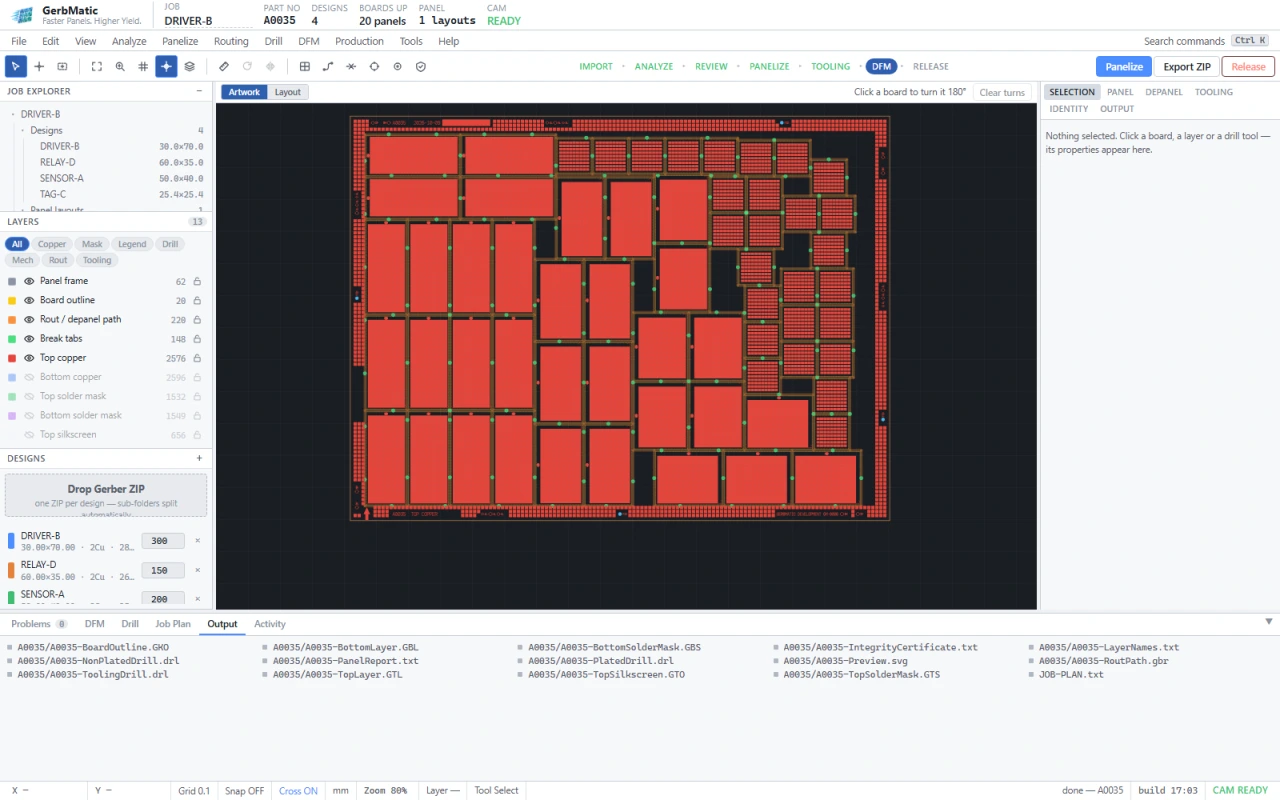
Standard output your plotter, driller and outworkers already accept.
- RS-274X Gerber films, one per layer, named your way - or with CAM350's names if your outworkers expect them.
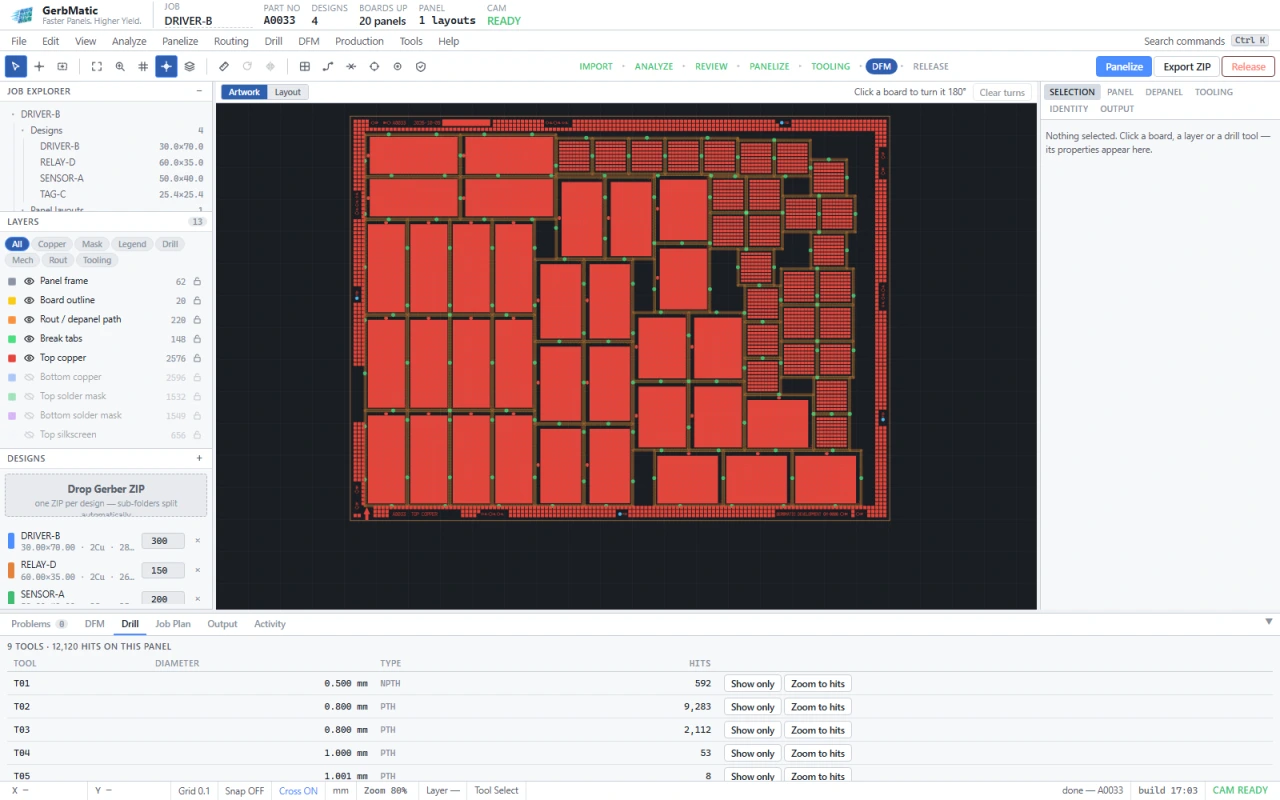
- Excellon drill files, plated and non-plated separately, written so the hole positions cannot be misread.
- Rout, V-score and break-tab files of their own, and film plotter files when you need them.
- A panel drawing, layer list, drill report and job plan in one folder, ready to hand over.
Never lose a job
Save a job and open it again later, exactly as you left it.
- A saved job keeps the customer's files and every setting you chose.
- Work is saved automatically every few seconds, and offered back if the program closes unexpectedly.
- Save a panel setup and reuse it for the same customer next month.
- Reopening a job runs every check again before anything can be exported.
Runs on your computer
GerbMatic is installed on your own Windows PC. Customer artwork never leaves it.
- Works without internet once it is activated; activation itself can be done by email for an offline CAM station.
- Windows 10 and 11, 64-bit. Nothing else to install.
- The licence moves between computers whenever you need it to - you do it yourself from your account.
Which of these do you need?
Every screenshot above is the real program on its sample job. Pick the features you use, and the matching edition is on the pricing page.