
Automatic PCB Panelization Software
From cleaned Gerbers to manufacturing panels in minutes.
GerbMatic helps PCB manufacturers and CAM engineers simplify production panel creation. Import prepared manufacturing data, configure the panel and generate panelized files through one streamlined workflow. Keep your trusted CAM software for inspection and preparation.
How GerbMatic works
Prepare. Import. Configure. Panelize. Export. Verify.
Your CAM engineer still prepares the data and checks the result. GerbMatic takes the repetitive part in the middle - stepping the board out, rails, tooling and the output files.
- PrepareInspect and clean the data in the CAM tool you already use.
- ImportDrop the Gerbers and NC drill files into GerbMatic.
- ConfigurePanel size, array, rails and spacing.
- PanelizeGerbMatic builds the panel and adds the rail features.
- ExportFilms, drill, rout and score files, named for your shop.
- VerifyYour engineer checks the panel before release.
The real program
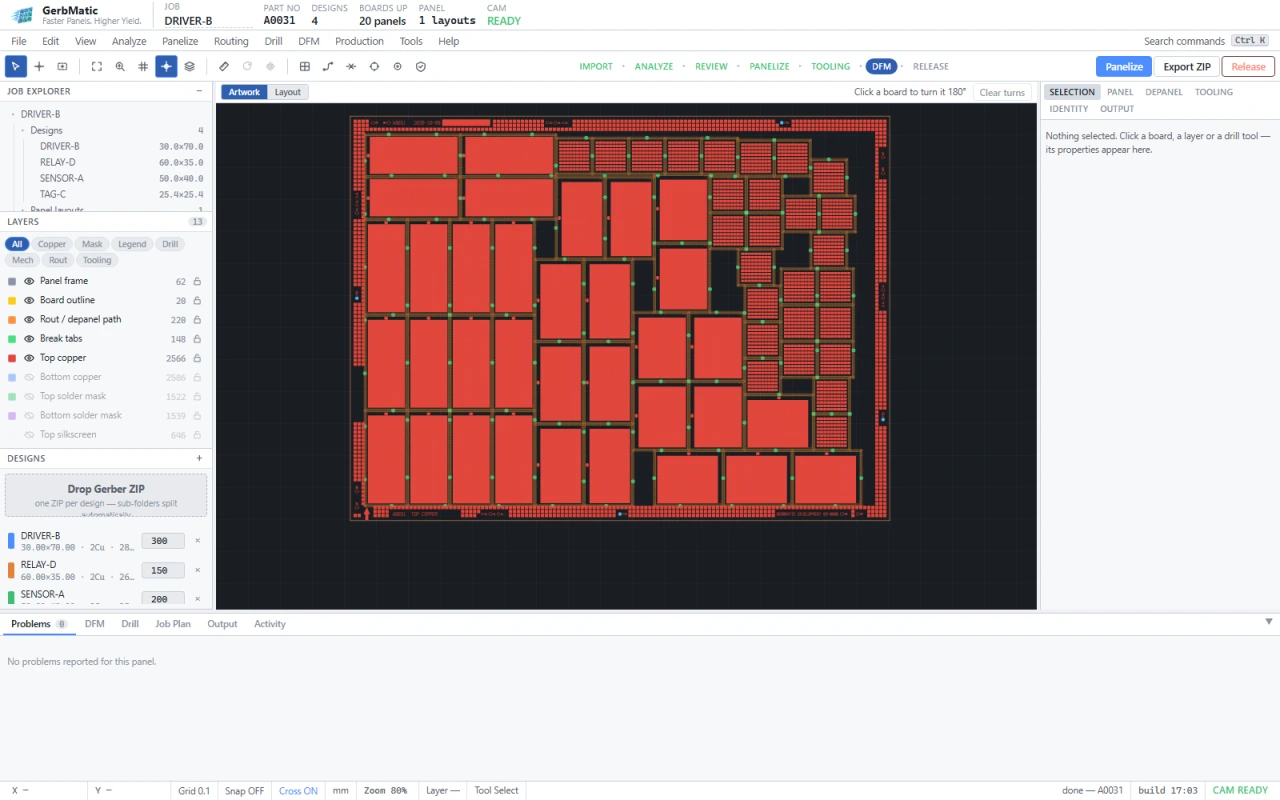
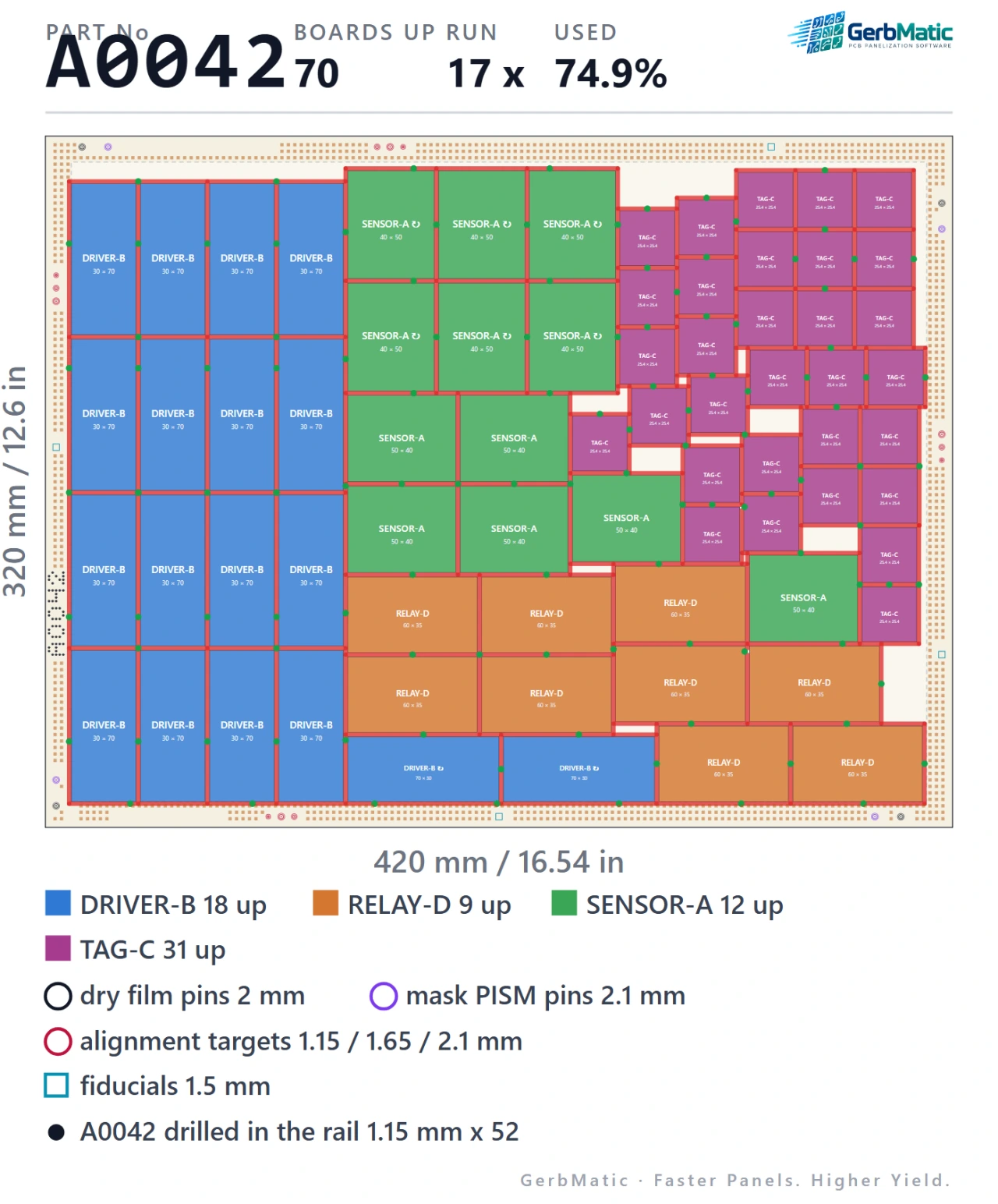
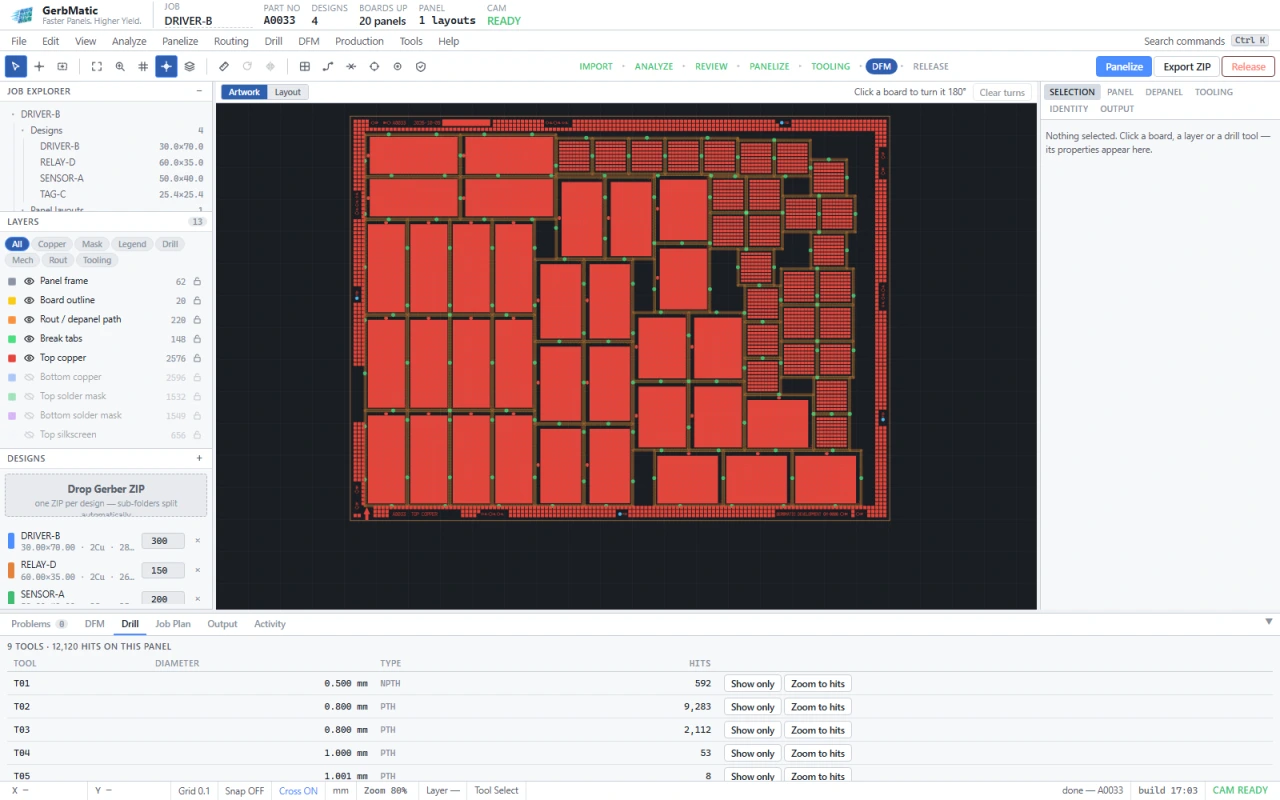
Screens from GerbMatic itself
Not mock-ups - the program running its sample job. Watch the whole job in the demo video →
Why CAM teams use it
Less repetitive work at the panel step
Minutes, not an afternoon
Set the panel once and let GerbMatic step the board out and draw the rails, instead of building each panel by hand.
The same result every time
The same settings give the same panel, whoever is on shift - fewer one-off mistakes in repeated work.
Rails and tooling included
Tooling holes, fiducials, registration targets and V-score or rout with tabs are placed on the rails, never on the boards.
Several designs, one sheet
Mix designs on one production panel and spread the ordered quantities across sheets, or keep to one design per sheet.
Arrays your customers sign off
Build the assembly array a customer ordered, with an approval pack to send them before you make it.
Fits your current workflow
Keep the CAM tool you trust. GerbMatic reads its Gerber and drill output and writes the files your shop already uses.
Traditional vs GerbMatic
The same panel, two workflows
Edit any time to match your own shop. The totals and the savings preview below follow what you type.
Traditional panelization
Example total: 25 min per job
- Work out how many boards fit the panel and which way round min
- Step and repeat the board on every layer and drill file min
- Draw the rails, side strips and panel border min
- Place tooling holes, fiducials and registration targets min
- Add V-score lines or rout paths with breakaway tabs min
- Check every layer and drill file lines up min
With GerbMatic
Example total: 7 min per job
- Import the cleaned Gerber and drill files min
- Set the panel dimensions min
- Choose the array min
- Set side rails and spacing min
- Generate the panel and its output files min
- Inspect and verify the production data min
These are example timings to start from - type your own. Many CAM packages automate part of the traditional list, and every shop's jobs differ; both columns include checking, because GerbMatic does not replace it. Put your numbers into the full calculator.
Savings preview
What could that be worth in a month?
Minutes per job come from the comparison above.
Engineering hours saved
-
Labour value per month
-
An illustrative estimate from your inputs. Time value does not automatically equal cash saved.
Pricing
Four editions, from $189 to $369 a year per computerPay for the panels you build - one design per sheet, several, customer arrays, or all of it.
Questions
Frequently asked
Who is GerbMatic for?
PCB manufacturers and assembly houses whose CAM engineers build production panels and customer arrays every working day, and want that step to take less of their time.
Will it pay for itself?
That depends on how many panels you build and how long each takes today. The savings calculator works it out from your own numbers, and shows a loss honestly if there would be one.
Does GerbMatic replace my CAM software?
No. Your CAM tool still inspects and prepares the data; GerbMatic picks up at the panel step that comes after it, and its output goes back to the same plotter and driller.
How long does a panel take?
For a typical job the whole workflow - import, settings, build, export and your own check - is roughly 5 to 10 minutes. It depends on the job, the settings and how clean the input is; it is not a guarantee.
Licences, the trial, payment and files: the full FAQ.
Your next panel could be built in GerbMatic.
Load a job you have on your desk today and see the panel it makes.
Try GerbMatic freeRequest a product demo